Pintwist
Open-source Pinterest research that runs entirely on your machine.
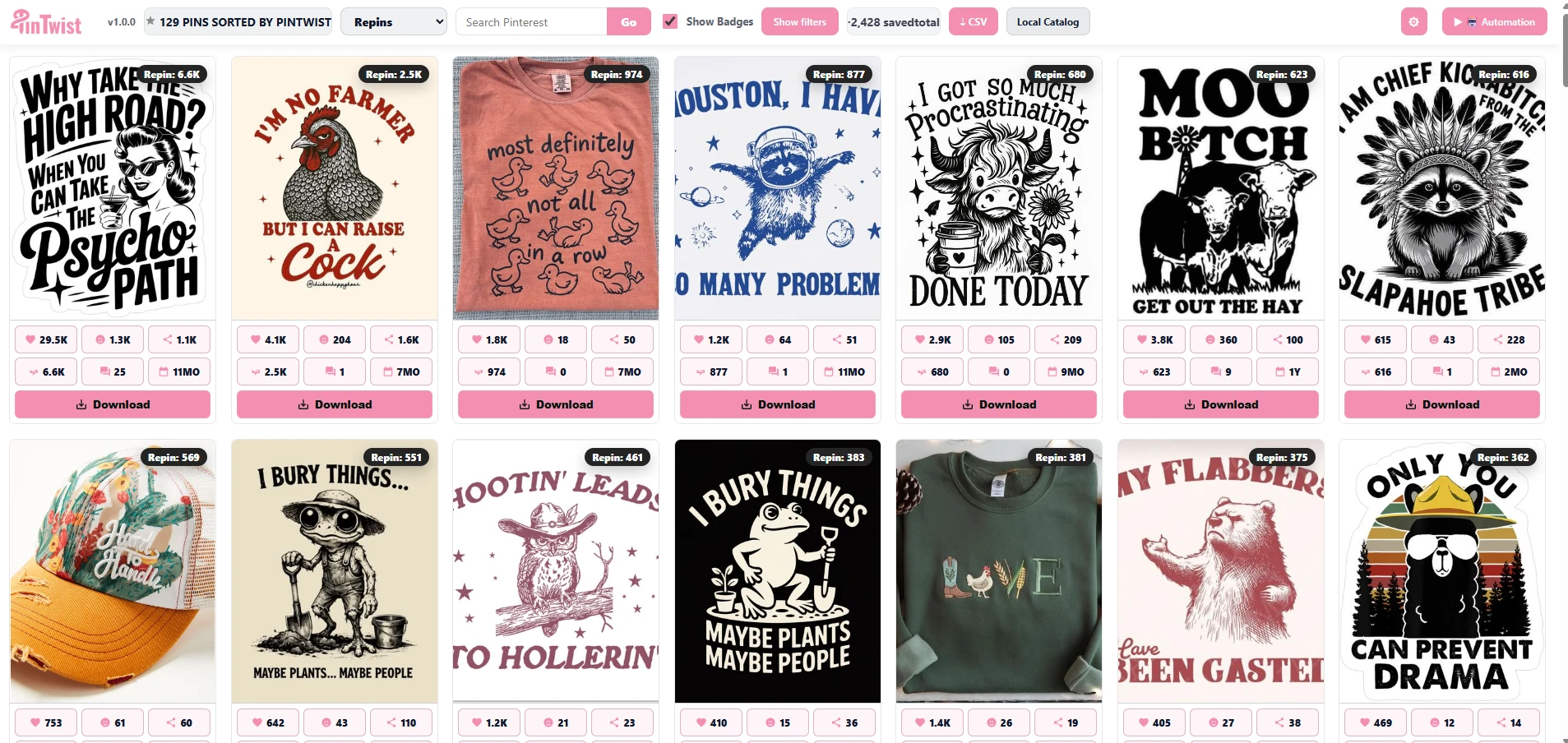
Pintwist overlays save counts, reactions, comments, repins, and creation dates on every Pinterest pin you browse, then lets you sort, filter, build a local catalog, and export CSV — all on your own device. No account, no backend, no telemetry: nothing ever leaves your browser. It is free and open source under the Apache-2.0 license.
What it does
Metrics on every pin
Save count, reactions, shares, repins, comments, and creation date shown right on the pin tile. No clicks needed.
Sort & filter
Re-rank a board or search by saves, shares, reactions, repins, comments, or newest — then filter the results down to what matters.
Local catalog + CSV
Save what you find into a local catalog (kept in your browser), group by design, and export everything to CSV for your own analysis.
100% local
No account, no server, no telemetry. Pintwist runs entirely in your browser using your own Pinterest session — your data never leaves your device.
Install
Pintwist is open source. Build it from the repo and load it as an unpacked Chrome extension — a Chrome Web Store release is in progress.
- 1Clone github.com/iScale-Builders/pintwist.
- 2Build it:
corepack pnpm installthencorepack pnpm run build. - 3Chrome →
chrome://extensions→ enable Developer mode → Load unpacked → pick thedistfolder. - 4Browse Pinterest — the Pintwist toolbar and pin overlays appear automatically.
Privacy & open source
Runs entirely on your device
- • No iScaleLabs account or sign-in required
- • No backend, no server, no telemetry or analytics
- • Your catalog stays in your browser (chrome.storage + local IndexedDB)
- • Pinterest data is read using your own logged-in session and never sent anywhere
Open source
- • Apache-2.0 licensed — read it, audit it, fork it, or contribute
- • Source: github.com/iScale-Builders/pintwist
- • Independent tool — not affiliated with or endorsed by Pinterest
More detail in the iScaleLabs Privacy Policy.